 i12bp8
287481453e
i12bp8
287481453e
Worker (cloud-plugins/):
- New plugin 'GitHub Profile': avatar dithered upper-left, display
  name + @handle (with accent star) + word-wrapped bio in the right
  column, followers/repos line, and a 53x7 contribution heatmap
  with an accent palette (red dots for everyday activity, black for
  the rare hottest days). Tuned for 208x112 ESLs and adapts to
  296x128 with a bigger avatar and roomier heatmap.
- Identicon plugin gains DiceBear style selector (pixel-art /
  bottts / lorelei / adventurer / micah / fun-emoji / shapes) on
  top of the original symmetric grid 'local' mode. Both are
  rendered through the new shared image_util pipeline.
- Crypto plugin redesigned: editorial layout with corner brackets,
  bold price headline, white-knockout delta badge with a real
  triangle glyph, currency symbol prefix using the canvas font's
  new euro / pound / yen glyphs, and a stippled accent fill under
  the sparkline.

Canvas:
- setPixel is now last-write-wins across planes, so drawing black
  on top of an accent-filled area produces a clean black pixel
  instead of the muddy plane-conflict the e-paper driver was
  showing previously. Every pixel is therefore exactly one of
  white / black / accent which is what plugin authors intuit.
- New whitePixel + drawTextWhite primitives for knockout text
  (e.g. white labels punched through a coloured badge).
- FONT_EXTRA shipped with the canvas for currency / arrow / shape
  / star / bracket glyphs. Plugins can now write '\u20AC1234' and
  have the euro symbol Just Work.

Image pipeline (new image_util.ts):
- One fetchImageGray() that sniffs PNG vs JPEG, decodes via
  upng-js / jpeg-js, composites alpha over white, and returns a
  tightly-packed grayscale buffer.
- One blitGrayDither() that nearest-neighbour scales the gray
  buffer to a destination rect and serpentine Floyd-Steinberg
  dithers it on the way in. Used by identicon and github.

FAP:
- WiFi BMP writer is now plane-aware: writes the same biPlanes=1,
  biBitCount=2, 3-entry palette layout the rest of the IR TX
  pipeline already understood for web-image-prep BMPs. Tri-colour
  tags now actually receive accent ink from cloud-rendered plugins.
- WiFi run scene un-forces accent: plugins are invoked with the
  tag's actual accent capability and the BMP is opened with the
  matching plane count.
- Run scene now calls bmp_abort on exit so an aborted transfer
  doesn't leak the ~10 KB pixel buffer.
- Plugin manifest cache capped at TT_WIFI_MAX_FAP_PLUGINS=8 (down
  from 16) and the UART RX stream buffer shrunk to 8 KB. Together
  these cut WiFi-flow heap pressure by ~23 KB and fix the OOM
  crashes that occasionally happened when opening WiFi Plugins.
- Broadcast scene auto-transmit fix: enter_callback now filters
  by the >> Transmit << row index, and the cursor defaults to
  row 0 instead of Transmit. Previously a stale OK key-release
  from the prior submenu would land on the Transmit row and
  blast the radio without any user action.


TagTinker V2.1
Infrared ESL Research Toolkit for Flipper Zero
Protocol study • Signal analysis • Digital Art



→ Launch the TagTinker Image Prep web app ←
Overview
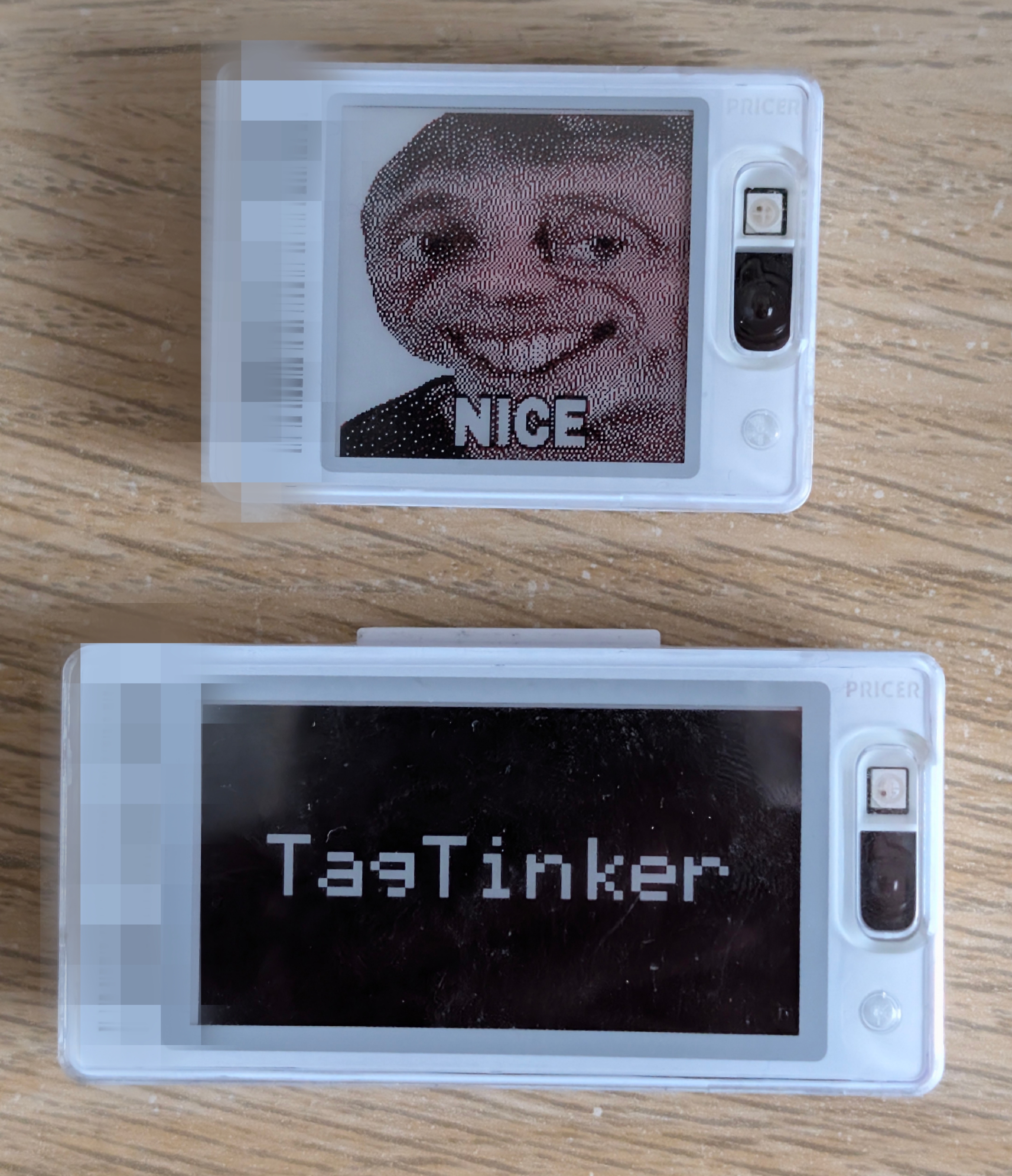
TagTinker is a Flipper Zero app for exploring infrared electronic shelf-label (ESL) protocols. It allows you to transmit custom images and text to supported graphics tags. A companion web image preparer runs entirely in the browser and lets you drop, dither and download Flipper-ready BMPs without any install.
As the Flipper Zero team notes:
"FYI: this is pure infrared signal, same that you use in TV remotes. The whole security was relying on obscurity of protocol."
This tool is built for IoT security curiosity, learning about obscure protocols, and displaying digital art on e-ink hardware.
Warning
Hardware Warning: Many infrared ESL tags store their firmware, address, and display data in volatile RAM to save cost and energy. If you remove the battery or let it fully discharge, the tag will lose all programming and become unresponsive ("dead"). It usually cannot be recovered without the original base station.
Features
-
TagTinker Flipper App: High-performance, zero-allocation RLE streaming IR engine.
-
TagTinker Image Prep (web): Single-file, dependency-free HTML page that lists every supported tag profile, runs a full image pipeline (tone, contrast, detail, sharpen, dither, photo-grade Oklab 3-colour quantisation) and exports a Flipper-ready BMP. Hosted at i12bp8.github.io/TagTinker (source:
web-image-prep/). -
Drop-folder image flow: Drop a prepared BMP into
apps_data/tagtinker/dropped/on the Flipper SD card, then openTargeted Payloads → <tag> → Set Imageand pick it. The Flipper rescales any BMP on the fly so a single file can target any tag and any page. -
NFC Tag Scan: Instantly identify ESL targets by scanning their NFC tag — no manual barcode entry needed.
-
WiFi Plugins (optional): Plug a Flipper WiFi Dev Board (ESP32-S2) into the GPIO header to unlock live, network-rendered tag designs — crypto price cards, weather tiles, identicons, and more — auto-discovered by the FAP. New plugins live entirely on the cloud worker; the Flipper firmware never has to be re-flashed to add one.
-
Display text, custom images, and test-patterns.
-
Support for monochrome and accent-color (red/yellow) graphics tags.
Getting Started
- Build the Flipper app from this repository and install it via
ufbt. The first launch createsapps_data/tagtinker/dropped/on your SD card. - Open i12bp8.github.io/TagTinker in any browser, pick your tag profile, drop an image, tweak, and download the BMP.
- Copy the BMP into
apps_data/tagtinker/dropped/on the SD card (overqFlipper, USB MTP, or whatever you use). - On the Flipper open
Targeted Payloads → <your tag> → Set Image, pick the BMP, choose a page, send.
FAQ
Does this require a Flipper Zero?
No, not at all! You can do this with less than $5 worth of microcontroller hardware (like an ESP32 and an IR LED). The Flipper Zero just happens to be my favorite security research tool, which is why I built the app for this platform.
Where is the .fap release?
The Flipper app is source-first. Build the .fap yourself from this repository with ufbt so it matches your firmware and local toolchain.
What if it crashes or behaves oddly?
If you are using a custom firmware branch, custom asset packs, or a heavily modified device setup, start by testing from a clean baseline firmware.
Credits & Background
This project is deeply indebted to the incredible public reverse-engineering work by furrtek. To understand the underlying protocol, signal structure, and history, please read his research:
- Furrtek’s ESL research: https://www.furrtek.org/?a=esl
- PrecIR reference implementation: https://github.com/furrtek/PrecIR
NFC tag decoding contributed by 7h30th3r0n3.
Disclaimer
Caution
STRICTLY PROHIBITED FOR ILLEGAL USE
TagTinker is an independent project intended strictly for educational research, security curiosity, and displaying digital art on hardware that you legally own.
Under no circumstances is this software allowed to be used for illegal activities. You are strictly prohibited from using TagTinker to alter retail displays, modify electronic shelf labels in stores, interfere with third-party infrastructure, or cause any form of vandalism or financial harm.
The creator of TagTinker assumes absolutely no liability for any misuse of this software. By using this software, you agree to take full responsibility for your actions and use it responsibly and legally.
License
Licensed under the GNU General Public License v3.0 (GPL-3.0). See the LICENSE file for details.