mirror of
https://github.com/ratspeak/ratdeck.git
synced 2026-05-15 03:45:06 +00:00
 dude.eth
89 lines
3.4 KiB
Markdown
89 lines
3.4 KiB
Markdown
<div align="center">
|
|
|
|
# [Ratdeck](https://ratspeak.org/)
|
|
|
|
**Standalone Reticulum for the LilyGo T-Deck**
|
|
|
|
</div>
|
|
|
|
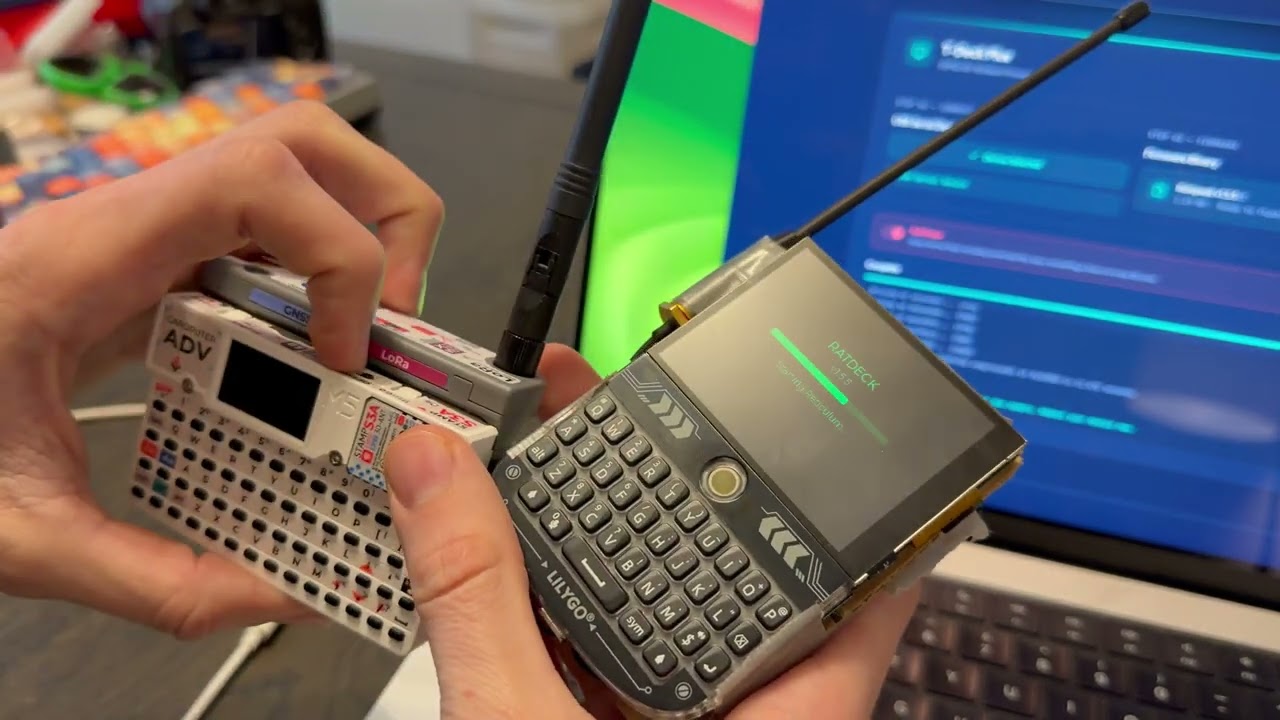
Ratdeck turns a [LilyGo T-Deck](https://www.lilygo.cc/products/t-deck-plus) into a full standalone [Reticulum](https://reticulum.network/) node. It's not just an RNode which requires another device — it's the complete setup.
|
|
|
|
End-to-end encrypted [LXMF](https://github.com/markqvist/LXMF) messaging over LoRa, TCP over WiFi for bridging to the wider Reticulum network, node discovery, identity management, and more.
|
|
|
|
<div align="center">
|
|
|
|
---
|
|
[](https://www.youtube.com/watch?v=F6I6fkMPxgI)
|
|
|
|
<sub>[▶ YouTube: Reticulum Standalone - T-Deck & Cardputer Adv](https://www.youtube.com/watch?v=F6I6fkMPxgI)</sub>
|
|
|
|
---
|
|
</div>
|
|
|
|
## Installing
|
|
|
|
The easiest way is the **[web flasher](https://ratspeak.org/download.html)** — enable download mode (hold the trackball while powering on), plug in the USB, click flash, done.
|
|
|
|
To build from source:
|
|
|
|
```bash
|
|
git clone https://github.com/ratspeak/ratdeck
|
|
cd ratdeck
|
|
pip install platformio
|
|
python3 -m platformio run --target upload
|
|
```
|
|
|
|
## Usage
|
|
|
|
On first boot, Ratdeck generates a Reticulum identity and shows a name input screen. Your LXMF address (32-character hex string) is what you share with contacts.
|
|
|
|
**Tabs:** Home, Friends, Msgs, Peers, Setup — navigate with the trackball.
|
|
|
|
**Manually announce:** To send an announcement manually, press the trackball or enter on the home tab.
|
|
|
|
**Add/delete contacts/messages:** Hold the trackball down on a chat or a peer to add or delete.
|
|
|
|
**Sending a message:** Find someone in Peers, select to open chat, type your message, hit Enter. Status goes yellow (sending) → green (delivery confirmed).
|
|
|
|
**Radio presets** (Setup → Radio):
|
|
- **Long Range** — SF12, 62.5 kHz, 22 dBm. Longest distance, slow.
|
|
- **Balanced** — SF9, 125 kHz, 17 dBm. Medium distance, medium.
|
|
- **Fast** — SF7, 250 kHz, 14 dBm. Shortest distance, fast.
|
|
|
|
All radio parameters are individually tunable. Changes apply immediately, no reboot. Please operate in accordance with local laws, as you are solely responsible for knowing which regulations and requirements apply to your jurisdiction.
|
|
|
|
### WiFi Bridging (Alpha)
|
|
|
|
Use **STA mode** to connect to existing WiFi and reach remote nodes like `rns.ratspeak.org:4242`.
|
|
|
|
To bridge LoRa with Reticulum on your computer:
|
|
|
|
1. Set WiFi to **AP mode** in Setup → Network (creates `ratdeck-XXXX`, password: `ratspeak`)
|
|
2. Connect your computer to that network
|
|
3. Add to your Reticulum config:
|
|
|
|
```ini
|
|
[[ratdeck]]
|
|
type = TCPClientInterface
|
|
target_host = 192.168.4.1
|
|
target_port = 4242
|
|
```
|
|
|
|
Note: WiFi bridging methods and interfaces will be revamped with Ratspeak's client release, therefore, it's unlikely AP mode works at all currently.
|
|
|
|
## Docs
|
|
|
|
The detailed stuff lives in [`docs/`](docs/):
|
|
|
|
- **[Quick Start](docs/QUICKSTART.md)** — build, flash, first boot, first message
|
|
- [Building](docs/BUILDING.md) — build flags, flashing, CI, partition table
|
|
- [Architecture](docs/ARCHITECTURE.md) — layer diagram, data flow, design decisions
|
|
- [Development](docs/DEVELOPMENT.md) — adding screens, settings, transports
|
|
- [Hotkeys](docs/HOTKEYS.md) — keyboard shortcuts and navigation
|
|
- [Pin Map](docs/PINMAP.md) — full T-Deck Plus GPIO assignments
|
|
- [Troubleshooting](docs/TROUBLESHOOTING.md) — radio, build, boot, storage
|
|
|
|
## License
|
|
|
|
GPL-3.0
|