 DeFiDude
851da63220
DeFiDude
851da63220
LoRaInterface: Implement RNode-compatible split-packet framing so the
full Reticulum MTU (500 bytes) works over LoRa. Packets >254 bytes are
transparently split into two LoRa frames with matching sequence numbers
and reassembled on the receiver. Also adds a 4-deep TX queue instead of
dropping packets when the radio is busy — critical for link handshakes.

LXMFManager: Large messages (>MDU) now queue pending link establishment
and retry via resource transfer instead of failing immediately. Stale
link-pending state is detected and reset. Speculative background link
establishment removed to avoid LoRa collisions.

AnnounceManager: Add app_data hex diagnostics on announce RX for
debugging name extraction issues.

main.cpp: Centralize all announce paths through announceWithName() so
display name and app_data are always logged.
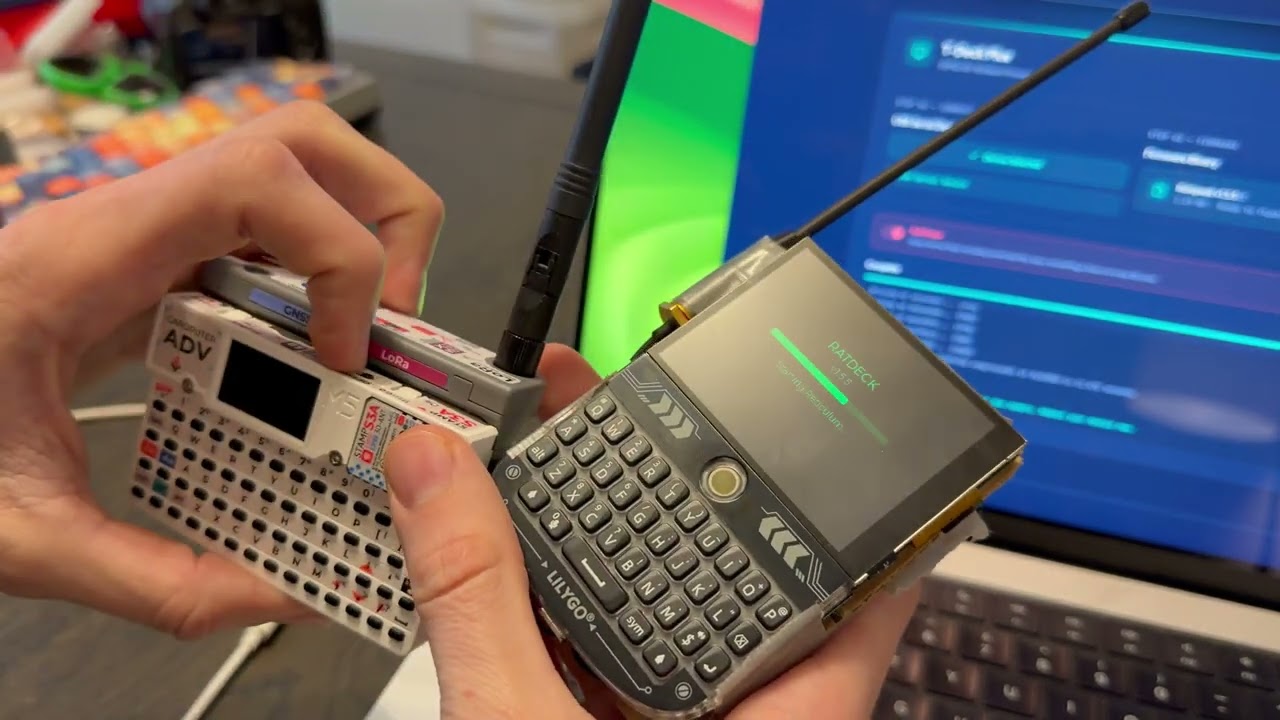
Ratdeck
Standalone Reticulum for the LilyGo T-Deck
Ratdeck turns a LilyGo T-Deck into a full standalone Reticulum node. It's not just an RNode which requires another device — it's the complete setup.
End-to-end encrypted LXMF messaging over LoRa, TCP over WiFi for bridging to the wider Reticulum network, node discovery, identity management, and more.
Installing
The easiest way is the web flasher — enable download mode (hold the trackball while powering on), plug in the USB, click flash, done.
To build from source:
git clone https://github.com/ratspeak/ratdeck
cd ratdeck
pip install platformio
python3 -m platformio run --target upload
Usage
On first boot, Ratdeck generates a Reticulum identity and shows a name input screen. Your LXMF address (32-character hex string) is what you share with contacts.
Tabs: Home, Friends, Msgs, Peers, Setup — navigate with the trackball.
Manually announce: To send an announcement manually, press the trackball or enter on the home tab.
Add/delete contacts/messages: Hold the trackball down on a chat or a peer to add or delete.
Sending a message: Find someone in Peers, select to open chat, type your message, hit Enter. Status goes yellow (sending) → green (delivery confirmed).
Radio presets (Setup → Radio):
- Long Range — SF12, 62.5 kHz, 22 dBm. Longest distance, slow.
- Balanced — SF9, 125 kHz, 17 dBm. Medium distance, medium.
- Fast — SF7, 250 kHz, 14 dBm. Shortest distance, fast.
All radio parameters are individually tunable. Changes apply immediately, no reboot. Please operate in accordance with local laws, as you are solely responsible for knowing which regulations and requirements apply to your jurisdiction.
WiFi Bridging (Alpha)
Use STA mode to connect to existing WiFi and reach remote nodes like rns.ratspeak.org:4242.
To bridge LoRa with Reticulum on your computer:
- Set WiFi to AP mode in Setup → Network (creates
ratdeck-XXXX, password:ratspeak) - Connect your computer to that network
- Add to your Reticulum config:
[[ratdeck]]
  type = TCPClientInterface
  target_host = 192.168.4.1
  target_port = 4242
Note: WiFi bridging methods and interfaces will be revamped with Ratspeak's client release, therefore, it's unlikely AP mode works at all currently.
Docs
The detailed stuff lives in docs/:
- Quick Start — build, flash, first boot, first message
- Building — build flags, flashing, CI, partition table
- Architecture — layer diagram, data flow, design decisions
- Development — adding screens, settings, transports
- Hotkeys — keyboard shortcuts and navigation
- Pin Map — full T-Deck Plus GPIO assignments
- Troubleshooting — radio, build, boot, storage
License
GPL-3.0